
LIVE Plugin State
12/31/2025
Current stable version:
0.3.0
Language:


LIVE
LIVE, the LIVE Interactive VDR Environment, allows a comfortable operation of VDR and some of its plugins trough a web interface.
Unlike external programs, which communicate with VDR and its plugins through the SVDRP interface, LIVE has direct access to the internal data structures of VDR. This makes LIVE very fast.
Additionally LIVE introduces an interface which allows the
direct integration of user interfaces for VDR
plugins.
Currently this interface was implemented
for
the EPGSearch
plugin. A substantial part of the LIVE web interface is
based on this implementation. There exist plans to extend
other plugins (like taste, burn, femon and others) with
this interface too.
LIVE works even when these
plugins are missing. LIVE detects the available plugins
and adapts its user interface accordingly. Therefor it can
happen, that certain functions appear and can be used only
when the appropriate plugin is activated in VDR.
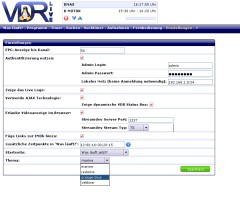
You can get a first optical impression of LIVE on the Screenshots page
License
LIVE is distributed under the GNU General Public License, version 2(GPLv2). For more information follow the Link and/or see the file COPYING in the LIVE source code directory.
This version of the LIVE plugin supports older VDR versions. It still uses the old Makefile format and thus can be used together with VDR versions older than 1.7.36. This will be the last stable version of LIVE offering this kind of support. Future versions of LIVE will work only with VDR version 2.0 and above.
The following overview lists the most important user visible changes on LIVE since the last stable version.
The major new features have been contributed by LIVE users. We are are very happy to embrace the contributions and thank everybody who helped in improving LIVE.
The names of the developers are listed in the version history, which can be found in the LIVE-Git tree.
All past feature additions or changes of LIVE can be found on the News archive page.
Version 0.3.0
IMPORTANT: please allways have a look at the README file in the LIVE source code directory!
Installation prerequisites:
Software |
minimal version |
recommended |
URL |
VDR |
1.4.0 |
>= 1.7.36 |
|
Tntnet |
1.6.3 |
>= 2.0 |
|
Cxxtools |
1.4.8 |
>= 2.0 |
|
PCRE |
7.6 |
>= 8.02 |
|
optional: |
|||
boost |
1.32.0 |
GCC < 4.1* |
|
used VDR plugins: |
|||
epgsearch |
0.9.22 |
>= 0.9.25 |
|
streamdev |
0.3.3 |
>= 0.3.4 |
|
Tntnet provides basic web server functionality for LIVE.
Cxxtools is required by Tntnet.
PCRE is used for the
search with regular expressions on the recordings page.
*) Boost provides TR1 C++ extensions and is required only
when compiled with GCC < 4.1.
Different versions of LIVE can be downloaded from the Download page.
Web:
Other: